 Voxta
Voxta Importing VRMs
Add any .vrm avatar to Voxy, from VRoid Hub or your own, and assign it to a Voxta character. Two ways to import.
A VRM (VRoid Model) is the on-screen body for your Voxta character — a single .vrm file that bundles the mesh, rig, textures, and blendshapes needed for Voxy to animate it.
You can use any VRM model. VRoid Hub is a great free source.
Voxta isn't affiliated with VRoid Hub or any VRM distributor. Use models you have rights to.
There are two ways to get a VRM into Voxy.
Option 1 — Drop it in the VRM folder
This is the manual route. Good for VRMs you've downloaded directly or made yourself.
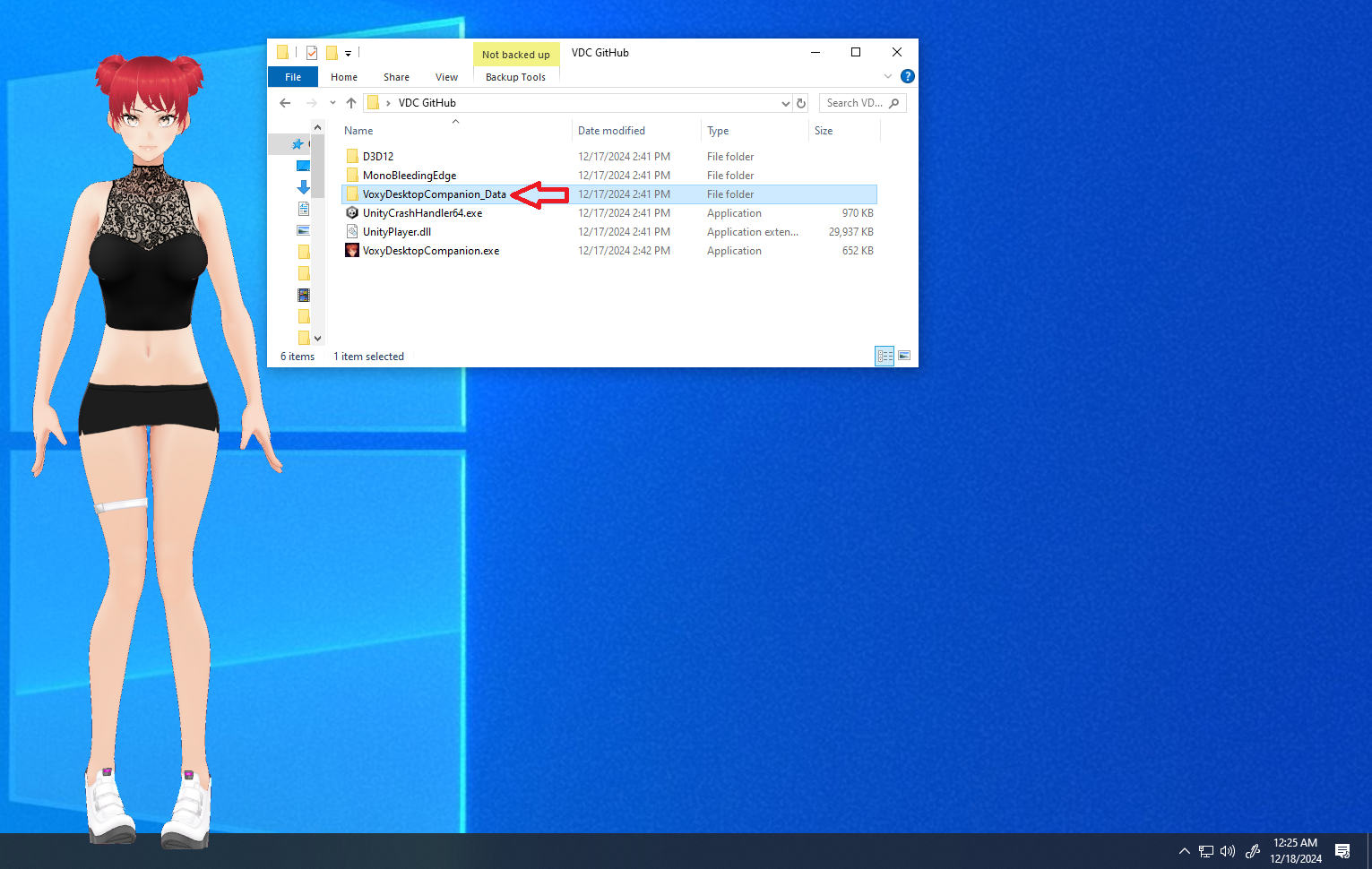
Open the VRM subfolder
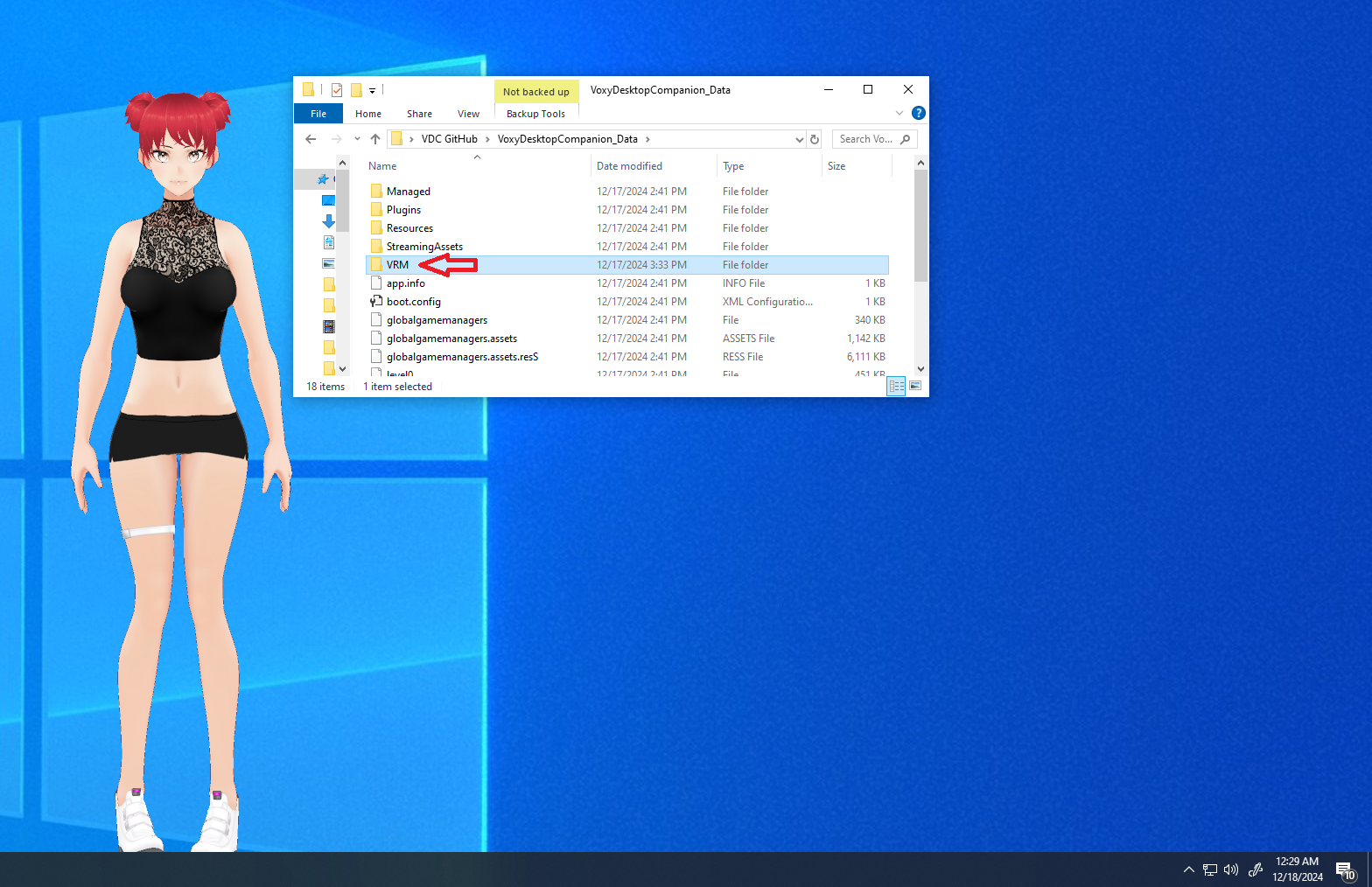
You'll see Voxy.vrm — that's the default avatar that ships with Voxy and loads for any character that doesn't have an explicit assignment.
Drop your .vrm file in
Just copy it in. No restart needed — Voxy picks it up on the next character refresh.
Option 2 — Import a Voxta Package
If you have a .voxpak file that bundles a character and its VRM (made in Voxta Studio), the whole thing imports through Voxta and Voxy picks it up automatically.
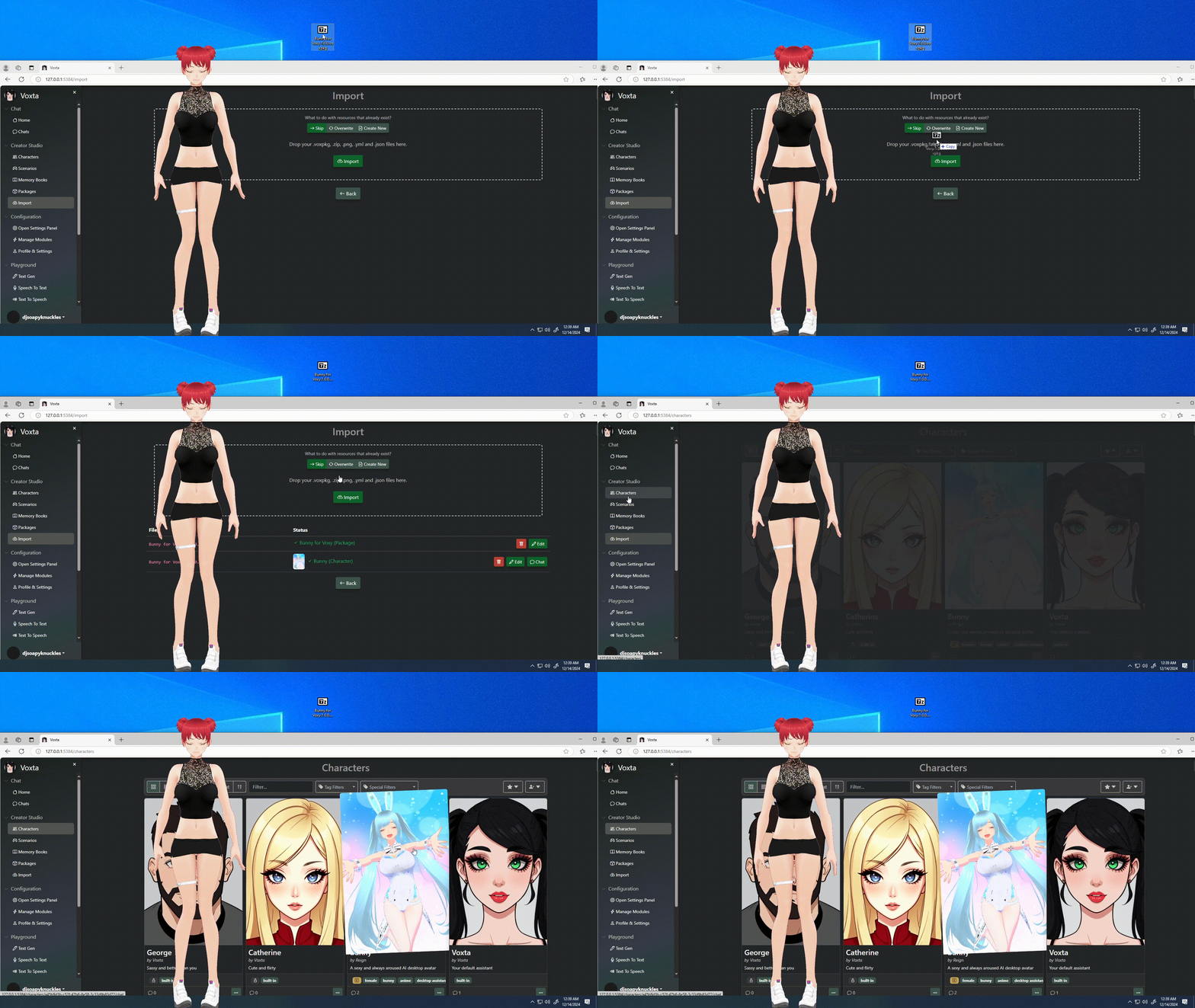
Import the package into Voxta
In Voxta, import the .voxpak like any other character package. The bundled VRM comes along with the character data.
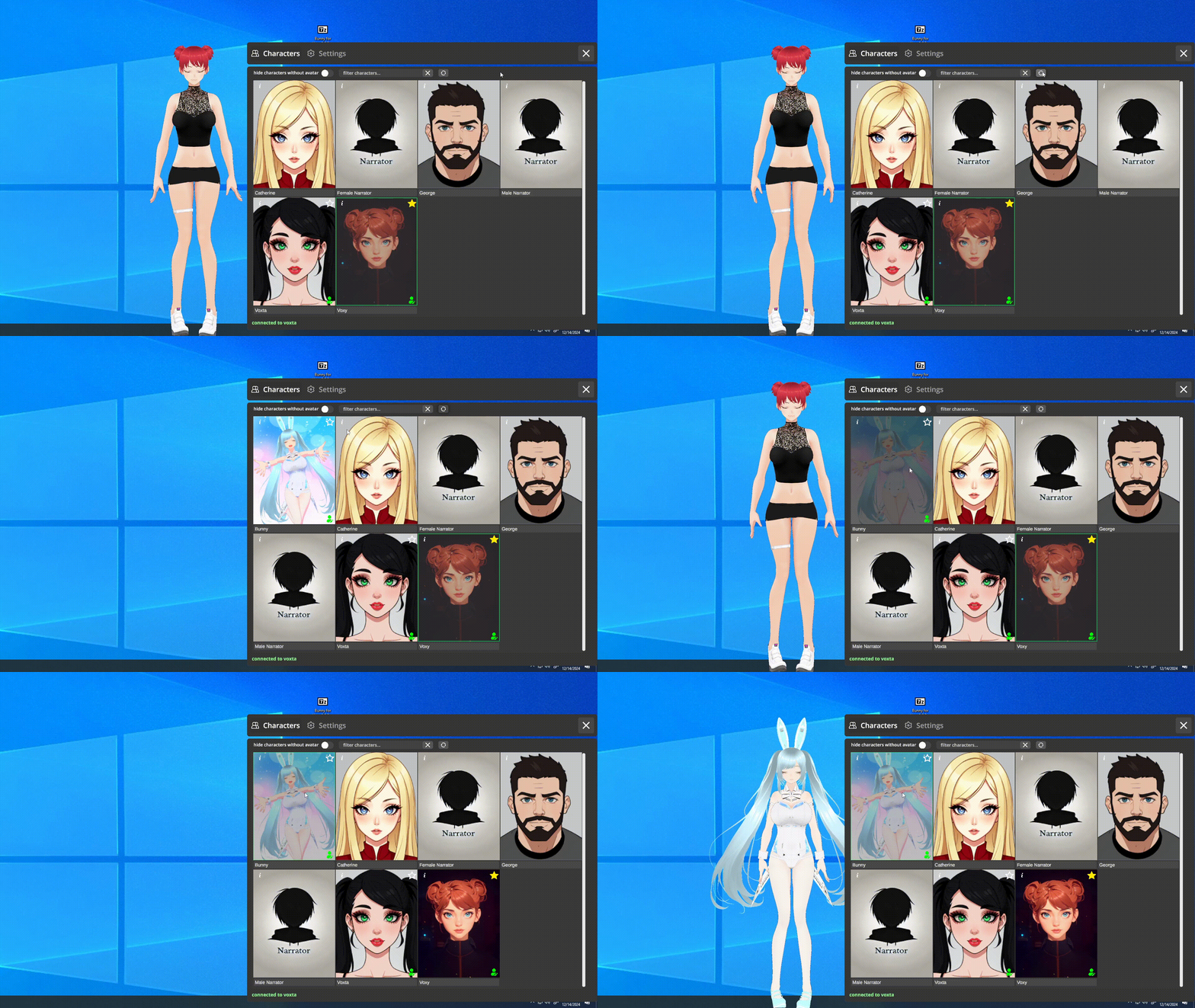
Refresh the Voxy character view
In Voxy, refresh the Characters panel — your newly imported character appears, already bound to its VRM. Click it and chat.
Learn more about Voxta Packages in the Packages guide.