 Voxta
Voxta Routimator
State-machine plugin that finds the shortest animation path between Timeline states — the navigator for multi-pose, multi-room Voxta scenes.
Routimator is a state-machine plugin for Virt-A-Mate, designed for use with Voxta and Timeline. It builds on MacGruber's state machine (heavily modified) and acts as a navigation layer between your Timeline animations and Voxta's character states.
It uses a breadth-first search to find the shortest valid path from a starting state to a target state, automatically triggering the necessary intermediate transitions along the way.
Visualize how Routimator pathfinds with the Routimator Diagram Visualizer.
When to use it
Use Routimator when your scene has multiple poses or locations the character transitions between, and you want the AI to be able to say "go take a shower" and have the character actually walk there through the right intermediate animations — instead of teleporting or playing a single canned animation.
If your scene only has one pose or two trivially-connected ones, you don't need it.
Key features
-
Shortest-path navigation — BFS finds the route from current state to target state through any number of intermediate states.
-
Automatic Timeline integration — if a state name matches a Timeline animation name, Routimator plays it automatically. No extra triggers required.
-
Flexible transition logic — define exactly which states can lead into which others. Build complex chains across many animations.
-
Voxta flag management — Routimator sets the
navflag during active navigation (so AI actions can't conflict) and clears it (!nav) when the destination loop state is reached.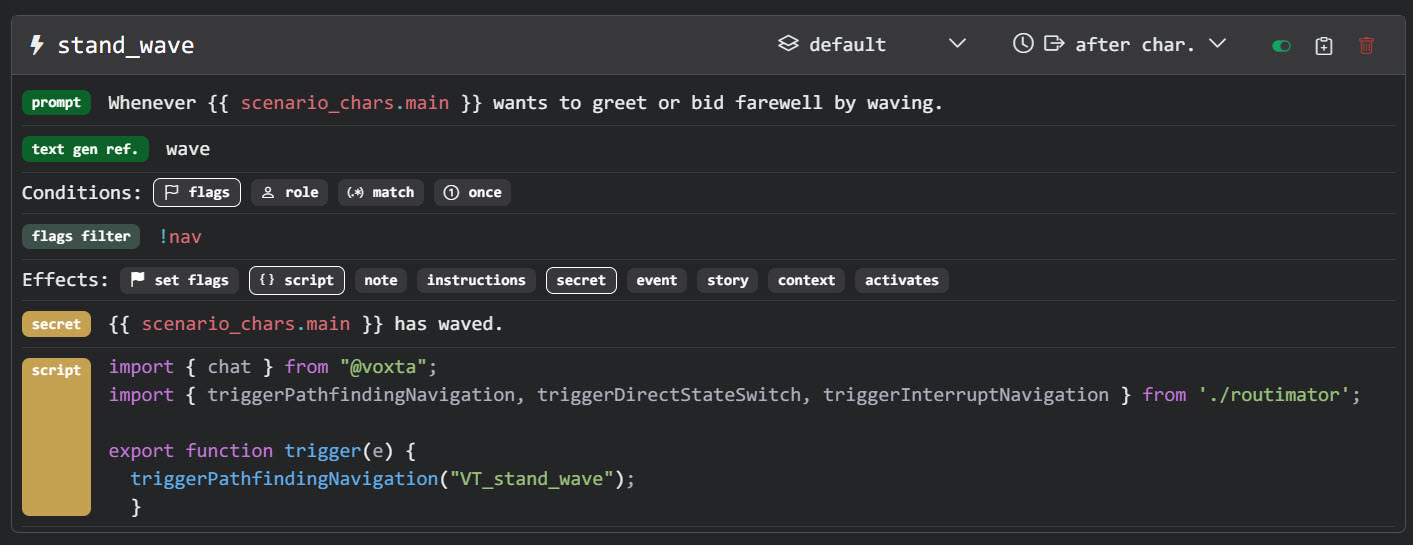
-
Grouping — organize states into groups (rooms, poses) with separate transition logic per group.
-
Save/load presets — store and reuse state configurations across scenes.
-
Interrupt navigation — abort mid-route. The plugin stops once the next looping state is reached.
Core concepts
Loop animations vs. transition animations
- Loop animations (prefix
VS_, displayed in blue): continuous animations the character stays in for a duration — e.g.VS_bedroom_bed_sitting,VS_bathroom_shower. - Transition animations (prefix
VT_, displayed in orange): short bridges between loop states — e.g.VT_stand_up,VT_go_to_bathroom.
Naming conventions
VS_— Voxta State (looping). Example:VS_bedroom_bed_sitting.VT_— Voxta Transition. Example:VT_stand_up.
Transition logic
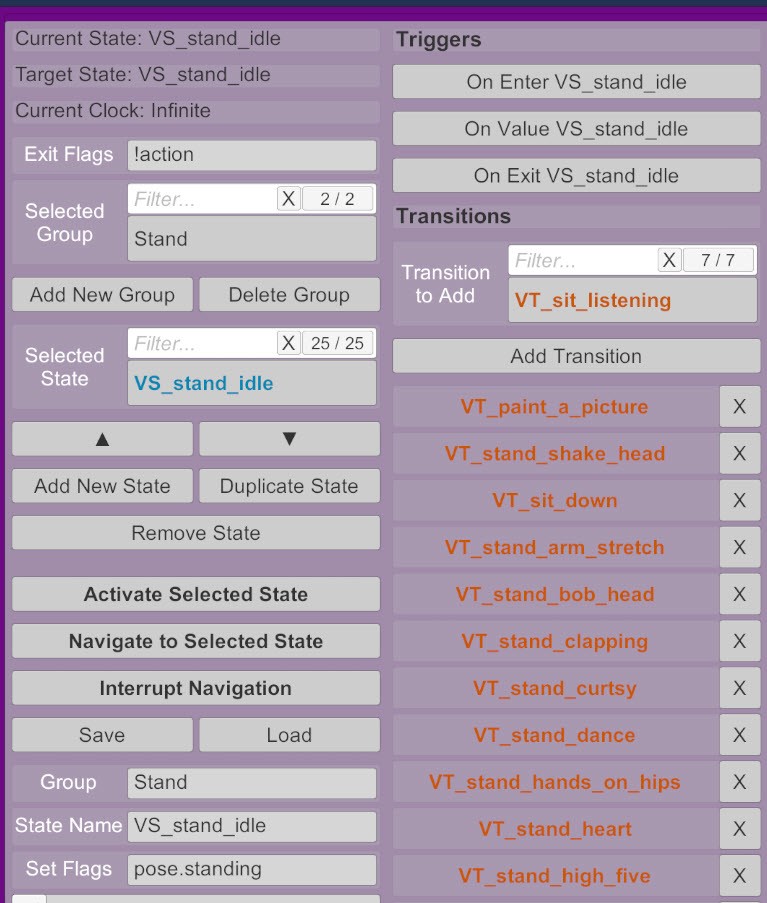
Routimator requires you to explicitly declare which states can transition into which. Pathfinding only crosses transitions you've authorized.
Example path from sitting in bed to taking a shower:
VS_bedroom_bed_sitting
  → VT_stand_up
  → VS_stand_idle
  → VT_go_to_bathroom
  → VS_bathroom_idle
  → VT_take_shower
  → VS_bathroom_shower
You select the start and target states, click Navigate to Selected State, and Routimator runs the chain.
Using it
- Add states in the Routimator UI. Default naming for new looping states is
VS_new_state_X— rename to match your animation names. - Define transitions — for each state, list the states it can transition into.
- Group states by context (rooms, scene areas) for separate transition logic per group.
- Navigate — pick a target state, click Navigate to Selected State. Routimator handles the rest.
- Interrupt if needed — Interrupt Navigation halts at the next looping state.
- Save presets to share or reuse configurations.
Voxta integration
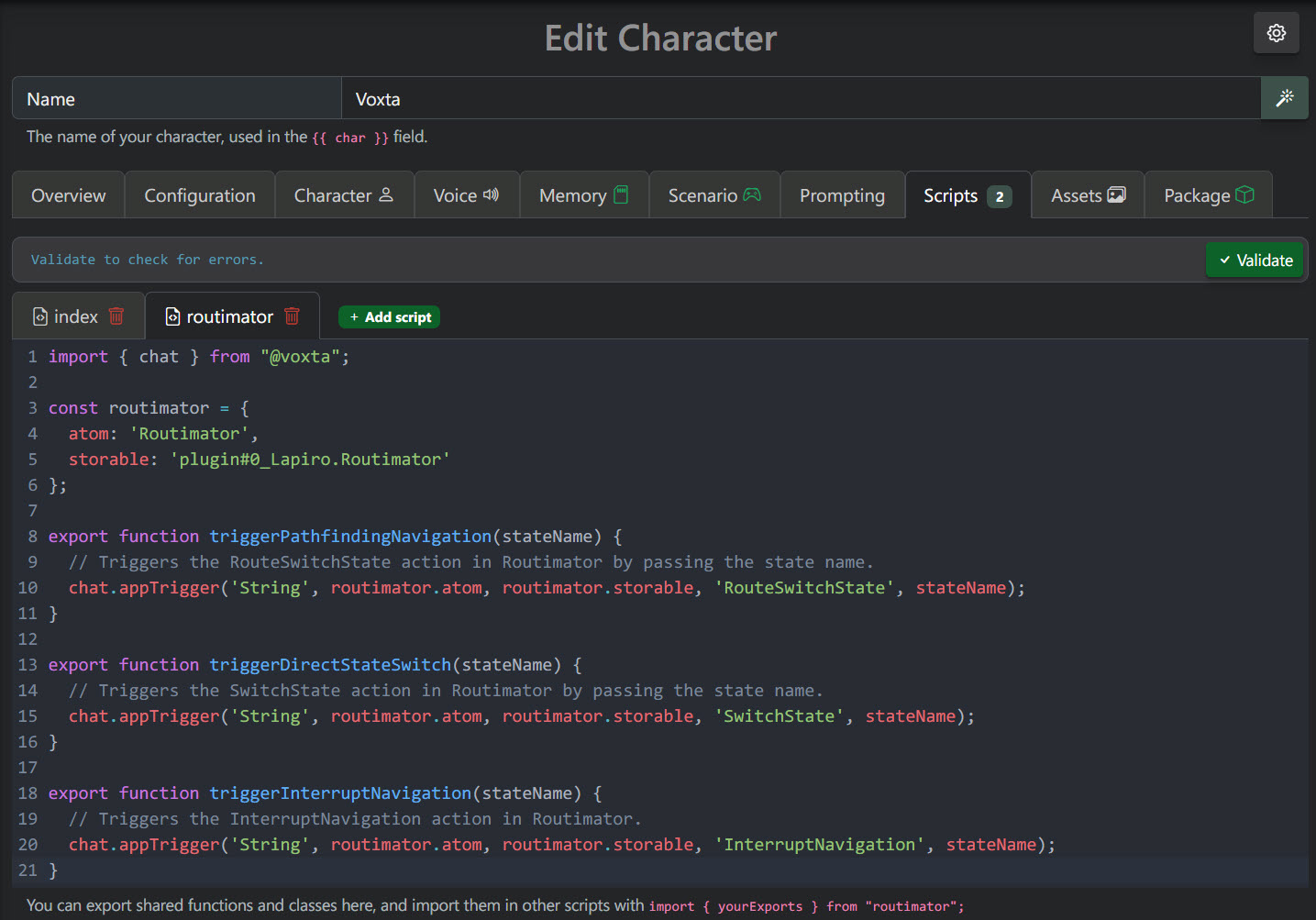
Below is a reusable JS module that exposes three Routimator actions to your scenarios:
triggerPathfindingNavigation(stateName)— find a path to the given state.triggerDirectStateSwitch(stateName)— jump straight to a state without pathfinding.triggerInterruptNavigation(stateName)— cancel an in-progress navigation.
import { chat } from "@voxta";

const routimator = {
  atom: 'Routimator',
  storable: 'plugin#0_Lapiro.Routimator'
};

export function triggerPathfindingNavigation(stateName) {
  chat.appTrigger('String', routimator.atom, routimator.storable, 'RouteSwitchState', stateName);
}

export function triggerDirectStateSwitch(stateName) {
  chat.appTrigger('String', routimator.atom, routimator.storable, 'SwitchState', stateName);
}

export function triggerInterruptNavigation(stateName) {
  chat.appTrigger('String', routimator.atom, routimator.storable, 'InterruptNavigation', stateName);
}
Adjust the atom and storable ids to match your scene. The plugin#0_... prefix changes depending on how many other plugins are loaded on the atom.
Calling it from a scenario action
import { chat } from "@voxta";
import {
  triggerPathfindingNavigation,
  triggerDirectStateSwitch,
  triggerInterruptNavigation
} from './routimator';

export function trigger(e) {
  // Pathfind to the bathroom shower state
  triggerPathfindingNavigation("VS_bathroom_shower");

  // Or: jump directly to a known idle state
  // triggerDirectStateSwitch("VS_stand_idle");

  // Or: bail out of an ongoing navigation
  // triggerInterruptNavigation('interrupt_navigation');
}
Where to get it
Routimator is published on VaM Hub by Lapiro. Grab the latest from the Hub.